

 Neole
NeoleNeole 1.2 is here
A little clarity.
Every day.
Your spending, simply understood. Record expenses and income, check the details, and see where your money goes.
Neole 1.2 is now available on the App Store. A refreshed design, clearer voice capture, and a new introduction, ready for iPhone and iPad.

01 / Capture
Say it.
See it clearly.
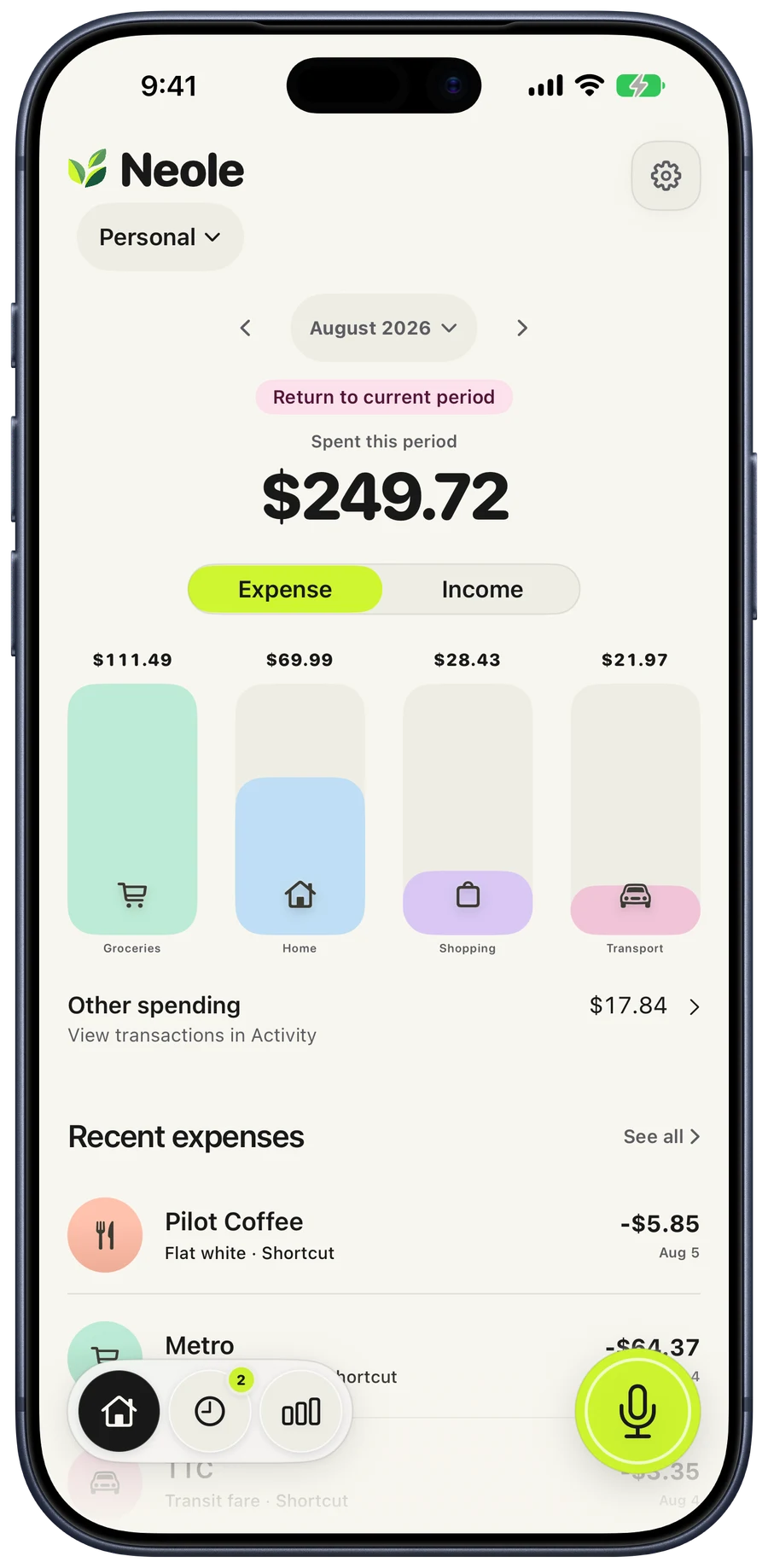
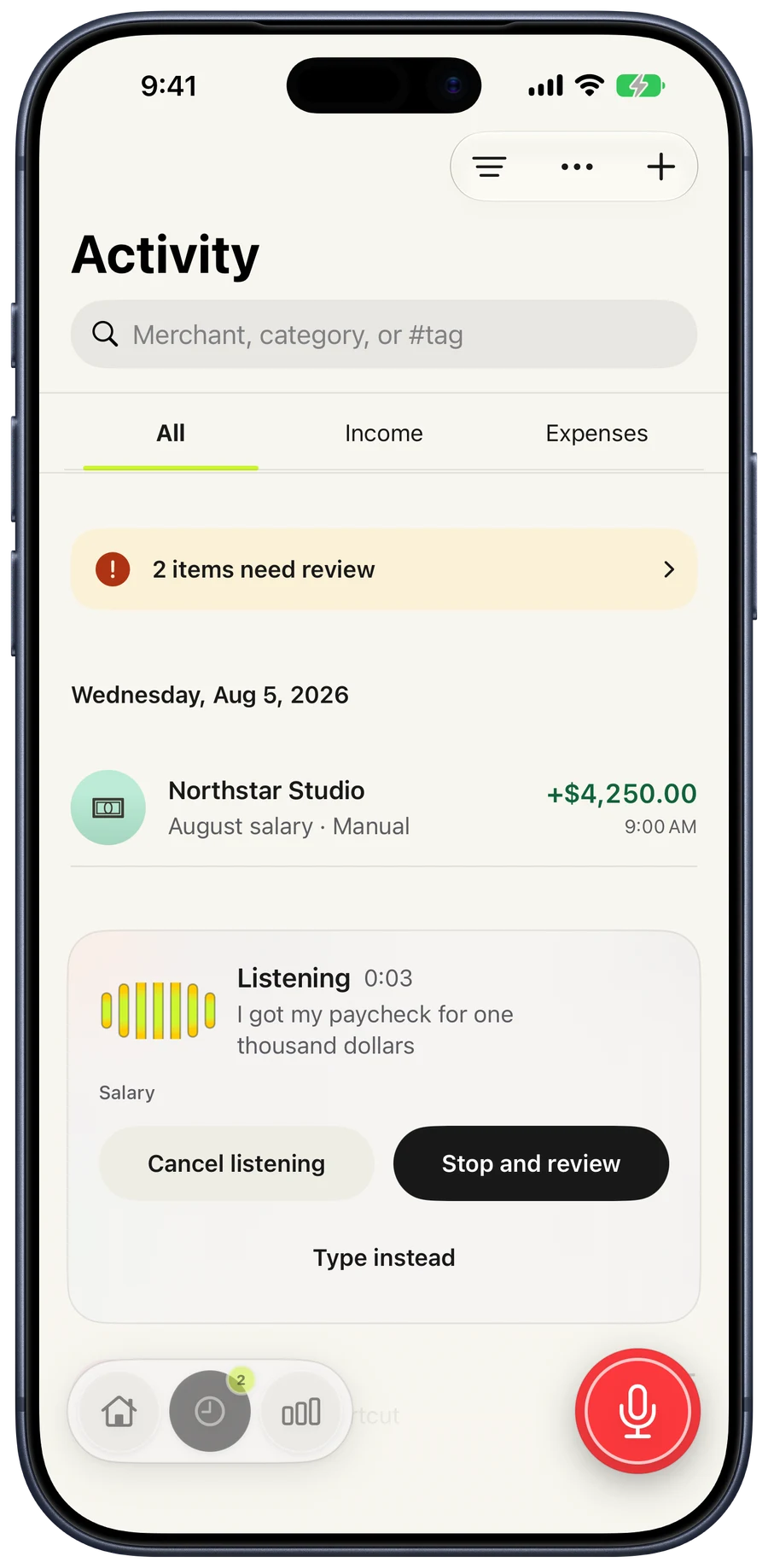
Keep the words in view while you speak. Stop when you’re ready, then check the amount, category, and whether it’s income or an expense before saving.
“Salary, nine hundred sixty-seven dollars and forty-eight cents.”
Review the result. Make it yours.Prefer to type? Manual entry is always there.
02 / Apple Pay
Your purchases.
Less typing.
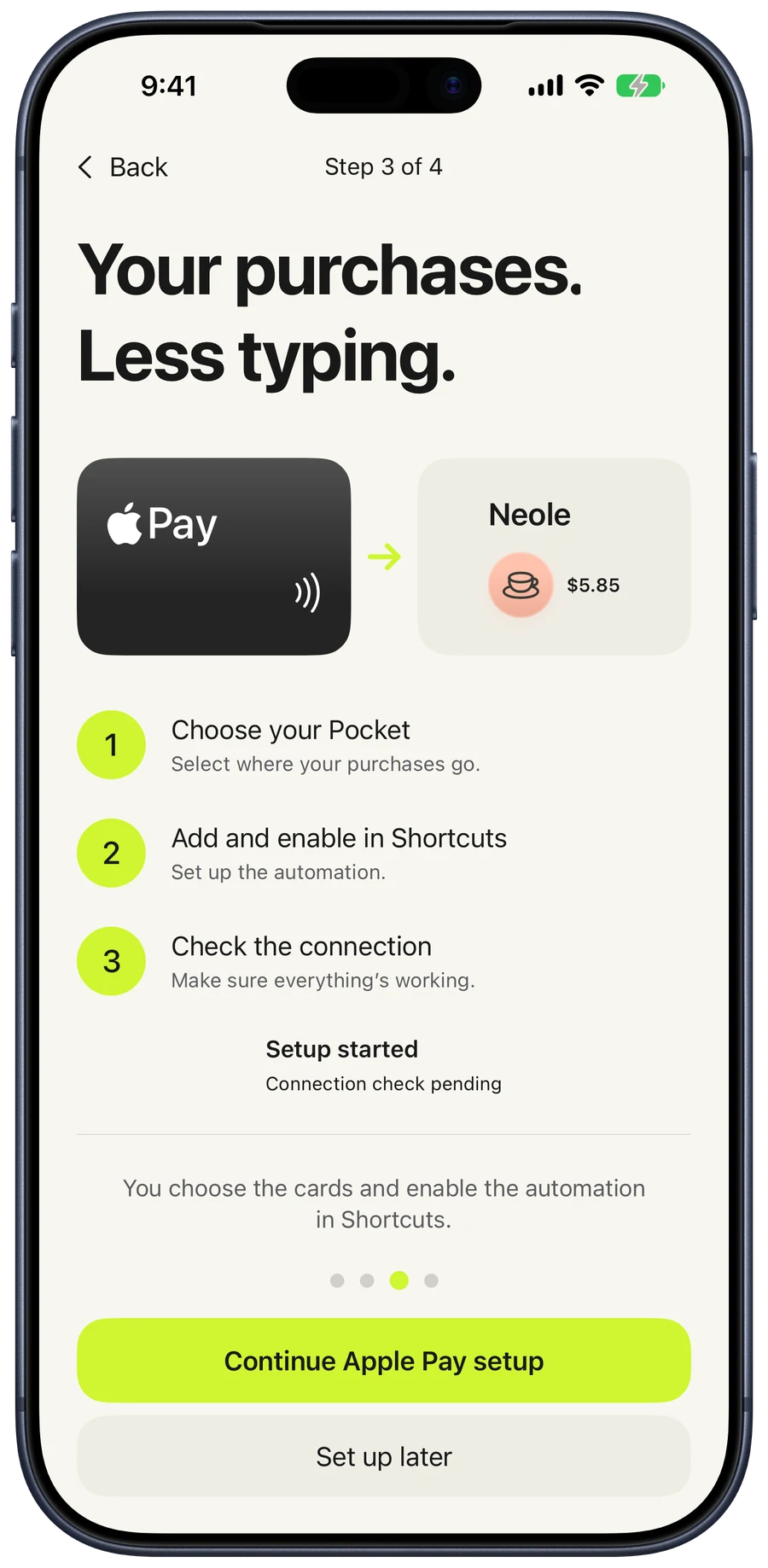
A guided setup helps connect eligible card taps to Neole through an Apple Shortcuts automation on your iPhone.
- Choose your PocketSelect where your purchases go.
- Add and enable in ShortcutsChoose your cards and pass the merchant and amount.
- Check the connectionConfirm that your setup reaches Neole.
Setup is required. Neole cannot read your Wallet history or enable an automation for you. Available triggers depend on your device and card.
03 / Perspective
Money in.
Money out.
Income, expenses, and search together in Activity. A clear history, with room to review anything that needs attention.
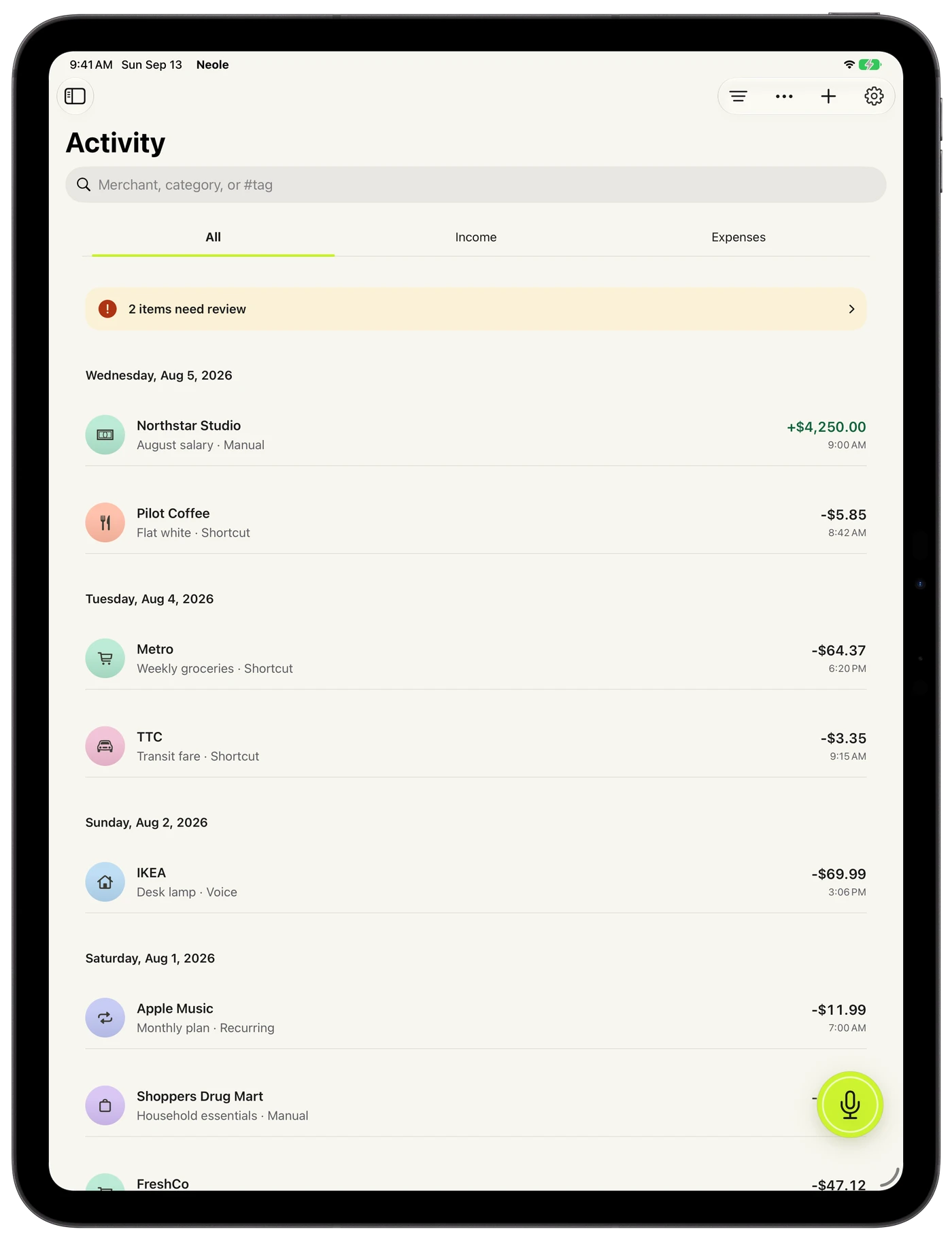
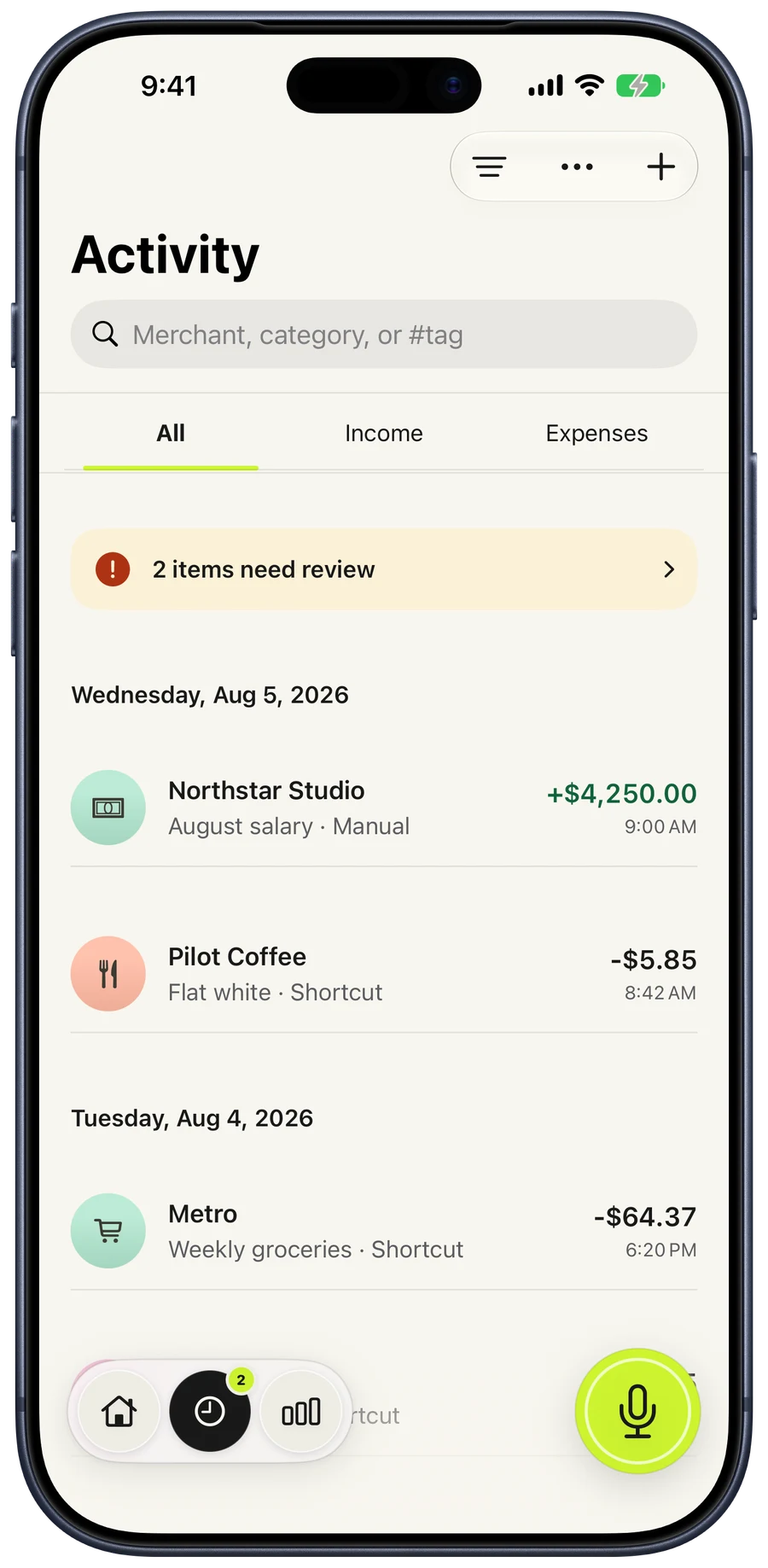
Actual app screens with example transactions.
04 / Make room
Room for
what matters.
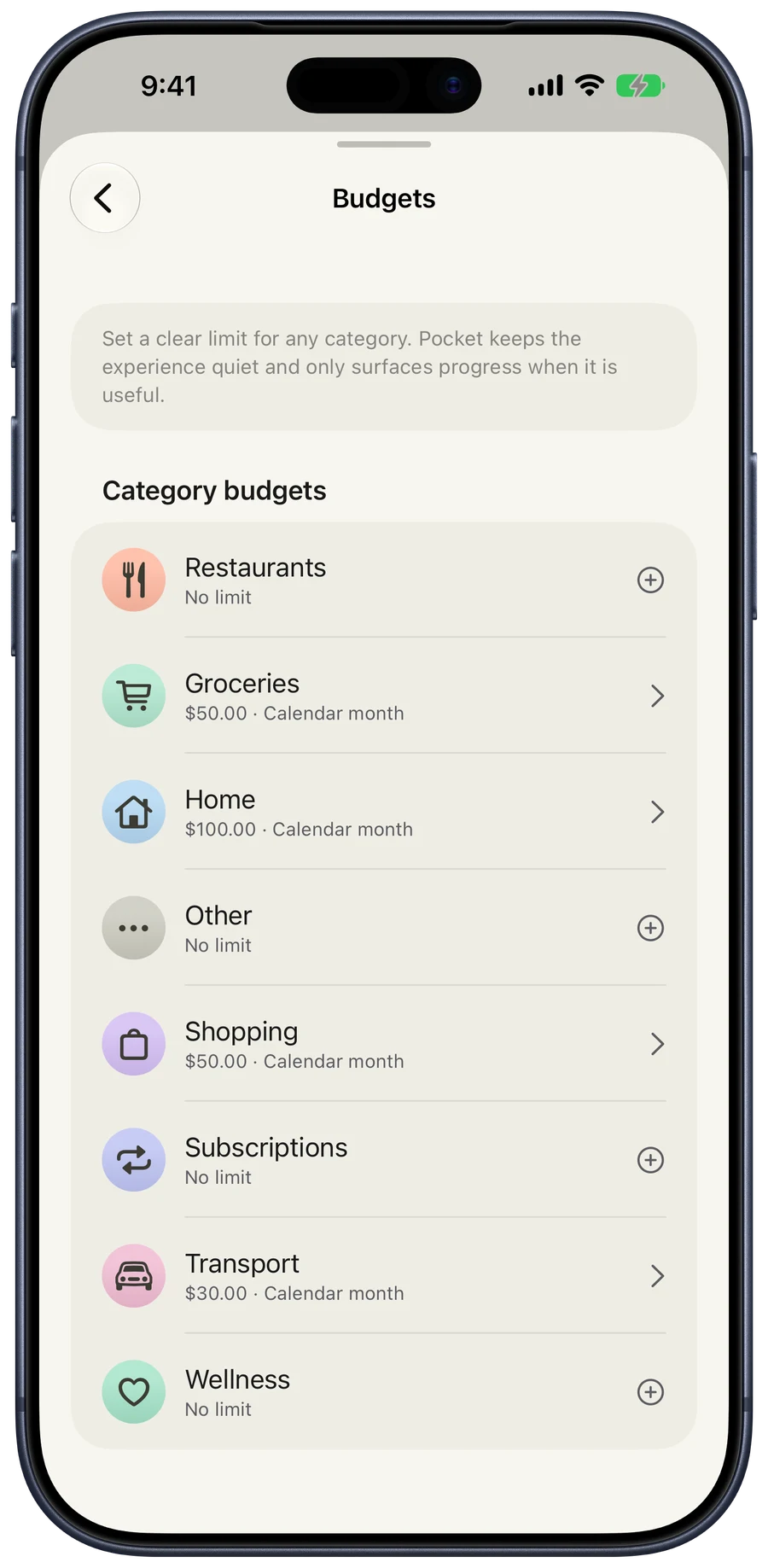
Set category budgets, keep recurring entries organized, and separate everyday life from a trip or a project with Pockets.
Correct a transaction when plans change. Keep a copy with CSV export or a local backup.
A few useful details
Your records.
Your call.
Where does my data live?
Records stay on your device unless you choose to share a Pocket through iCloud, export, or create a backup. Neole does not require an Estuaire account and has no advertising or tracking SDK.
Read the Privacy PolicyDo I need Apple Pay or voice capture?
No. Manual entry works on its own. Voice and Shortcuts are optional ways to capture transactions, with editable review when needed.
How do the plans work?
Neole is free to download, with Individual and Family subscriptions. An active plan or eligible trial enables saving. Existing history and export remain available after paid access expires. Apple shows current pricing and trial eligibility before purchase.
How do I get the refreshed design?
Neole 1.2 is available now. Download Neole or update your existing app from the App Store to get the refreshed design, improved voice capture, and clearer transaction review.
A clearer everyday.
Capture. Review. Understand.
Get Neole on the App Store Need a hand?